Blog

  • Canva AI Saved Me from Hiring a Designer — But Only for 3 Things

    Canva AI Saved Me from Hiring a Designer — But Only for 3 Things

    A non-designer freelancer’s honest take on which Canva AI features actually hold up in client presentations — and which ones waste more time than they save.

    Content mode: Tested

    Last month I sent a pitch deck to a B2B SaaS startup with 12 slides, all built in Canva. The founder replied within an hour: “This looks clean — did you hire someone?” I hadn’t. Three of Canva’s AI features did roughly 80% of the visual heavy lifting. But when I tried to use the other two AI features for that same deck, I burned 40 minutes producing output I deleted entirely.

    I’ve been using Canva for client pitch decks and visual deliverables for about a year. Here’s what actually works in professional contexts and what’s still a liability.

    Magic Resize saves more time than any other single feature

    When I build a deliverable for one client, I often need the same content in three formats: a widescreen deck for presentations, a square version for their social team, and a portrait PDF for email. Before Canva AI, resizing meant manually adjusting every element on every slide — easily 20 minutes per format change.

    Magic Resize handles this in under two minutes. It repositions text blocks, rescales images, and adjusts spacing. Is it perfect? No — maybe 15% of slides need manual tweaks afterward, usually text that overflows a smaller frame. But going from 20 minutes to 4 minutes per format is the kind of math that makes a $13/month subscription feel like a bargain.

    One caveat: Resize works best on simple, grid-based layouts. If your slide has overlapping elements or custom positioning, expect to fix more than 15%.

    Magic Resize — Quick Math

    Before: ~20 min per format change, 3 formats per deck

    After: ~4 min per format change (including manual tweaks)

    Monthly savings at 3–5 decks: 2–3 hours

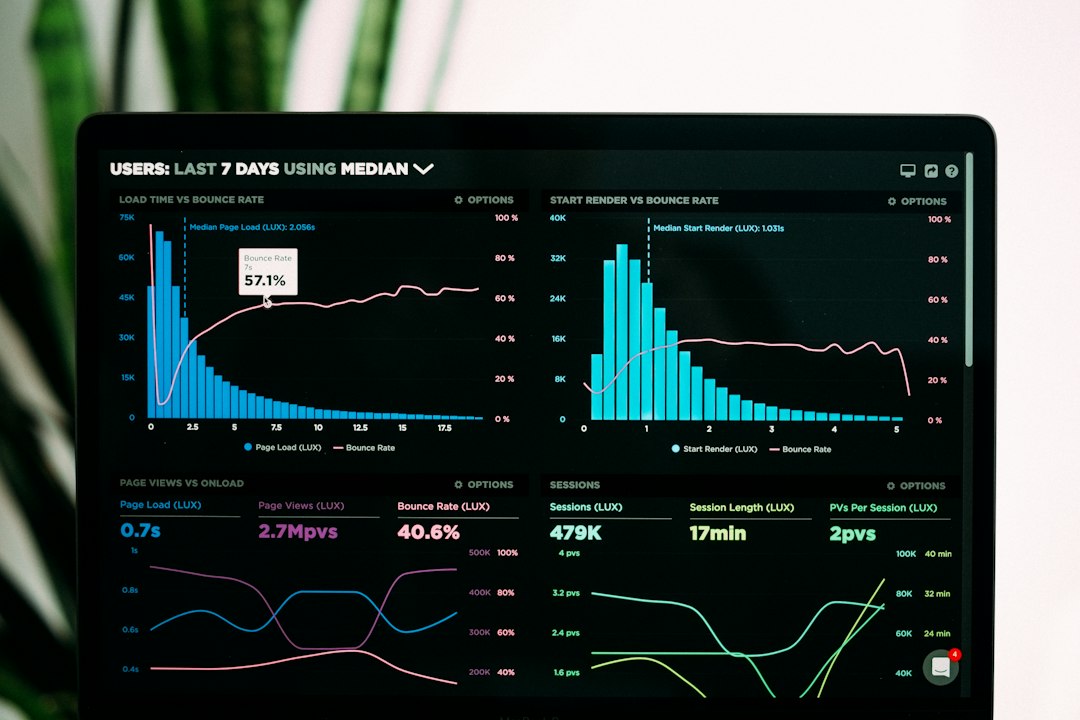
    A laptop computer sitting on top of a table
    Photo by Mayank Girdhar on Unsplash

    Background Remover is the second tool I actually trust

    Half my pitch decks include headshots — the founder’s photo, team shots, partner logos with messy backgrounds. Clients send these as JPEGs shot on phones with bookshelves and kitchen counters behind them.

    Canva’s background remover handles these cleanly about 90% of the time. Hair edges are the usual weak spot, but for a pitch deck viewed at presentation distance, the results are professional enough. The alternative — asking clients to reshoot photos or paying for manual cutouts — adds days to a timeline.

    I pair this with transparent PNG exports. Remove background, export, place on a branded slide with a solid color backdrop. Takes two minutes per image.

    Layout suggestions quietly improved my weakest slides

    I’m not a designer, and it shows most on data-heavy slides — the ones with three stats, a quote, and a company logo that all need to coexist without looking like a ransom note. Canva’s AI layout suggestions analyze the elements on a slide and propose arrangements.

    I don’t accept suggestions blindly. Maybe one in four is genuinely better than what I had. But even the rejected suggestions teach me spacing principles I wouldn’t have thought of. My decks got noticeably more consistent after three months of using this feature as a starting point rather than a final answer.

    “I don’t accept layout suggestions blindly — but even the rejected ones teach me spacing principles I wouldn’t have thought of.”

    Text-to-image is not ready for client-facing work

    This is where Canva AI lost my trust. I tried generating custom illustrations for a brand strategy document — abstract visuals that matched the client’s color palette. The results looked generic, lacked brand coherence, and had that unmistakable AI-generated flatness that clients increasingly recognize.

    I tested it across six prompts for different clients. Zero made it into a final deliverable. The issue isn’t quality in isolation — some outputs looked fine as standalone images. The problem is consistency. A pitch deck needs visual coherence across 12 slides. AI-generated images vary in style, lighting, and detail level from prompt to prompt, which breaks that coherence.

    For now, I use Unsplash integration for stock needs and leave illustration to the designer I work alongside when the budget allows. Text-to-image might get there eventually, but in April 2026 it’s still a liability in professional deliverables.

    The core issue is that AI image generators optimize for individual images, not for collections. A single generated image can look polished. Twelve images that need to feel like they belong to the same visual system? That requires a design language that current generators can’t maintain across prompts. Until that changes, generated images in professional decks are a risk I won’t take.

    Woman writing on a whiteboard by the window
    Photo by Compagnons on Unsplash

    Brand Kit auto-apply sounds perfect but breaks in practice

    Canva’s Brand Kit stores your colors, fonts, and logos. The AI can supposedly auto-apply your brand to any template. In theory, you pick a template, hit “apply brand,” and everything snaps to your client’s visual identity.

    In practice, the auto-apply gets fonts and primary colors right about 70% of the time. But it struggles with secondary colors, accent placement, and logo sizing. On a recent project, it applied the client’s navy blue to every background — including slides where the original template used white space intentionally. I spent 25 minutes undoing the auto-apply, which is longer than manually setting brand colors from scratch.

    My workaround: I apply brand colors manually to a master slide, then duplicate that slide as my base. It takes five minutes up front and stays consistent throughout. The AI auto-apply is faster on the first slide but creates cleanup work on every subsequent one.

    Canva AI Scorecard (April 2026)

    Magic Resize: daily use, reliable — KEEP

    Background Remover: weekly, 90% accuracy — KEEP

    Layout Suggestions: weekly, 1 in 4 useful — KEEP

    Text-to-Image: tested 6 prompts, 0 shipped — SKIP

    Brand Kit Auto-Apply: 70% accuracy, net negative — SKIP

    The honest cost breakdown for freelancers

    Canva Pro costs $13/month (annual billing). For my use case — three to five pitch decks per month plus occasional social assets — the math works clearly:

    Feature Time saved per use Uses per month Monthly hours saved
    Magic Resize ~16 min 8–10 ~2.5 hours
    Background Remover ~10 min 5–8 ~1 hour
    Layout suggestions ~5 min 10–15 ~1 hour

    That’s roughly 4.5 hours per month. At even a modest freelance rate, the subscription pays for itself several times over. The AI features I don’t use — text-to-image and brand auto-apply — cost nothing extra because I simply skip them.

    For me, Canva AI is a three-tool product disguised as a full AI suite. Magic Resize, background removal, and layout suggestions handle the mechanical parts of visual work that used to slow me down. The generative features — image creation and automated branding — aren’t reliable enough for work that carries my name.

    The uncertainty here is timeline. Canva ships updates monthly, and generative AI quality improves fast. By late 2026, text-to-image might clear the bar for professional use. But I’m not going to use my clients’ deliverables as a testing ground while we wait.

    If you’re a non-designer freelancer deciding whether Canva Pro is worth it, start with the resize and background removal features. Those two alone justify the cost. Add layout suggestions once you’re comfortable. Ignore text-to-image until you see it produce consistent results across a full deck.

    FAQ

    Can Canva AI replace hiring a designer for pitch decks?

    It depends on the stakes. For internal presentations and early-stage pitches, yes — Canva AI handles the mechanical work well enough. For high-stakes investor decks or brand launches, I still bring in my designer colleague. The gap is in visual storytelling, not individual slide quality.

    Is Canva Pro worth it if I only make one or two decks a month?

    Yes. Magic Resize alone saves enough time per deck to justify $13/month even at one deck. The threshold where it stops making sense is if you’re making fewer than one visual deliverable per month — at that point, the free tier covers basic needs.

    How does Canva AI compare to Google Slides Smart Canvas?

    Not yet comparable. Google Slides’ AI features are limited to basic suggestions and layout nudges. Canva’s Magic Resize and background removal have no equivalent in Google’s ecosystem. If you’re already paying for Canva Pro, there’s no reason to move visual work to Slides.

    Should I use Canva’s AI-generated images for social media posts?

    It depends on context. For personal social posts or internal team content, the quality is adequate. For client-facing social content tied to a brand identity, I’d avoid it — the style inconsistency between generated images undermines brand coherence.

    Sources


    AI-assisted research and drafting. Reviewed and published by ToolMint. Last updated: 2026-04-25.

  • I Built 4 Claude Projects for Repeat Client Work. Only 2 Survived.

    I Built 4 Claude Projects for Repeat Client Work. Only 2 Survived.

    A freelance consultant’s honest audit of Claude Projects after two months — which setups became daily habits and which ones quietly collected dust.

    Content mode: Tested

    Two months ago I set up four Claude Projects, one for each type of client deliverable I touch every week: proposals, brand voice editing, research briefs, and meeting recaps. The idea was simple — pin my instructions and reference files so every new conversation starts with context instead of a blank prompt. Fourteen weeks and roughly 200 conversations later, two of those Projects are part of my daily rhythm. The other two? I abandoned them within three weeks and went back to blank chats.

    This is the honest breakdown of what worked, what didn’t, and the specific decisions that made the difference.

    The proposal Project paid for itself in the first week

    My proposal-writing Project contains three pinned files: a master template, my pricing tier table, and a “voice and tone” one-pager I wrote for myself two years ago. Every time a new lead comes in, I open the Project, paste their brief, and Claude drafts a first pass that already follows my structure and pricing logic.

    Before this setup, drafting a proposal took me 45–60 minutes. Now it’s 15–20 minutes, mostly spent editing tone and adding client-specific references. At my hourly rate, that time savings covers Claude Pro’s $20/month subscription in roughly two proposals — and I send four to six per month.

    The critical detail: I pinned outputs I’d already written, not instructions about how to write. When I tried the instruction-heavy approach first, Claude produced generic templates. When I switched to pinning three of my best actual proposals as examples, the quality jumped immediately.

    Proposal Project — Setup Snapshot

    Pinned files: 3 (master template, pricing tiers, voice guide)

    Setup time: ~20 minutes

    Break-even: 2 proposals (covers $20/month Pro subscription)

    Weekly usage: 4–6 proposals drafted

    Brand voice editing became my second daily habit

    I maintain voice guidelines for three ongoing retainer clients. Each client’s voice doc lives in its own Claude Project alongside two or three sample deliverables that nailed the tone. When a draft needs editing for Client A, I open Client A’s Project and paste the draft. Claude already knows the voice.

    The time savings here is subtler — maybe 10 minutes per editing pass — but the consistency gain is what actually matters. Before Projects, I’d re-explain the client’s voice every session, and the results drifted. Now the output stays in range from the first response.

    One thing I learned: keep voice documents under 2,000 words. My first attempt was a 4,500-word brand bible, and Claude would latch onto random details instead of the core patterns. Shorter is better.

    There’s also a compounding benefit I didn’t expect. After two months of feeding real client drafts through each Project, the conversation history itself became a resource. When I start a new session, I sometimes scroll back to see how Claude handled a similar brief last month. The Project acts as a lightweight institutional memory — not just a template engine but a record of how my writing evolved with each client.

    “When I pinned outputs instead of instructions, the quality jumped immediately.”

    Research briefs never stuck — and I know exactly why

    My third Project was for competitor research briefs. I pinned an industry glossary, a brief template, and a list of sources I trust. In theory, Claude would draft a brief with the right structure and terminology every time.

    In practice, research briefs require current information that changes with every assignment. The pinned context was mostly static background, and the actual work — finding recent data, verifying claims, comparing competitor moves — needed Perplexity anyway. I’d end up copying Perplexity’s output into Claude, which added a step rather than removing one.

    The lesson: Projects work best when the pinned context is the primary input. If your workflow depends on live external data, the Project setup adds friction rather than removing it.

    Laptop and coffee cup on a checkered tablecloth
    Photo by The Design Lady on Unsplash

    Meeting recaps were the biggest surprise failure

    I was most excited about this one. Pin my recap template, paste a transcript, get structured action items. It worked on the first three tests. Then it fell apart.

    The problem was transcript quality. My calls happen on Zoom, Google Meet, and occasionally phone — three different transcript formats with different levels of accuracy. Claude handled clean Zoom transcripts well but struggled with messy phone transcripts where speaker labels were wrong. I spent more time fixing misattributed action items than I would have spent writing the recap from scratch.

    I switched back to Notion AI for meeting processing, which handles the messier inputs better because it’s already inside my workspace where the notes live. This matches what I’ve said before — for action item extraction when content already lives in Notion, Notion AI beats external tools.

    The deeper issue is that meeting recaps are a parsing problem, not a generation problem. Claude’s strength is in producing coherent long-form output from clear inputs. But when the input itself is unreliable — speaker labels swapped, sentences cut off, background noise transcribed as words — no amount of clever prompting fixes it. The garbage-in-garbage-out principle applies regardless of how sophisticated the model is.

    The framework I use now for deciding when to build a Project

    After this experiment, I have a simple three-question test before setting up a new Project:

    • Is the pinned context the main input? If yes, a Project will save time. If the real work needs live data, skip it.
    • Do I do this task at least twice a week? Projects have setup cost. If I’m only doing the task monthly, a saved prompt is enough.
    • Can I pin outputs instead of instructions? Example-based Projects outperformed instruction-based ones every time in my testing.

    If all three answers are yes, I build the Project. If any answer is no, I use a blank chat with a copied prompt.

    My 4-Project Experiment — Results Summary

    Proposals: daily use, ~40 min saved per document, ROI 25:1

    Brand voice editing: daily use, ~10 min saved per pass, consistency gain

    Research briefs: abandoned week 3, live data dependency killed it

    Meeting recaps: abandoned week 2, transcript quality too variable

    For me, Claude Projects solved exactly two problems well: repetitive client deliverables with stable templates, and voice-consistent editing across multiple clients. That’s narrower than the marketing pitch suggests — but those two use cases alone save me roughly five hours per week. At $20/month, that works out to less than a dollar per hour saved — the cheapest productivity tool in my stack by a wide margin.

    A pile of newspapers
    Photo by Philip Myrtorp on Unsplash

    The structural uncertainty is whether Anthropic will add features that fix the limitations I hit — better handling of variable-quality inputs, or integration with external search. If Projects could pull live data the way Perplexity does, the research brief use case might work. For now, I’m not holding my breath.

    One thing I’d flag for anyone managing multiple Projects: naming discipline matters more than you’d think. I started with descriptive names like “Client A — Voice Editing” and “Proposal Drafting.” After a month, I switched to a consistent format — “[Client] — [Task Type]” — which makes scanning the sidebar faster when you’re switching between clients ten times a day. Small detail, but it reduces the friction of finding the right Project mid-workflow.

    If you’re a solo freelancer considering Projects, start with whatever deliverable you produce most often. Pin your three best examples, not a set of instructions. Give it two weeks. You’ll know fast whether it sticks.

    FAQ

    Is Claude Projects worth it if I only have one or two clients?

    Yes. Even with one client, the voice consistency alone justifies the setup. I noticed the biggest quality jump on my smallest retainer — a client I only write for twice a month. Without the Project, I’d forget their preferred tone between sessions.

    Can I use Claude Projects on the free tier?

    No. Projects require Claude Pro at $20/month. If you’re not sure it’s worth it, the free tier lets you test regular conversations first — but you won’t get persistent context until you upgrade.

    Should I pin my entire brand guidelines document?

    Not yet. In my experience, shorter documents (under 2,000 words) produce better results. Extract the sections Claude actually needs — voice attributes, example sentences, common patterns — and pin those instead of the full document.

    How many Projects is too many?

    It depends on your workflow. I found that four was already one too many for me. Each Project needs maintenance — updating pinned files, pruning outdated examples. I’d recommend starting with one or two and adding only when you’ve confirmed the first ones save time consistently.

    Sources


    AI-assisted research and drafting. Reviewed and published by ToolMint. Last updated: 2026-04-25.

  • DeepSeek V4 at $0.14 per Million Tokens. I’m Watching, Not Switching.

    DeepSeek V4 at $0.14 per Million Tokens. I’m Watching, Not Switching.

    DeepSeek V4 at $0.14 per Million Tokens. I’m Watching, Not Switching.

    A cost-and-risk breakdown for freelancers who pay $100/month on AI tools and wonder if a Chinese open-source model just made that obsolete.

    Content mode: Informed — Field Report


    $100 a month — that’s what I spend keeping Claude Pro, ChatGPT Plus, Notion AI, Perplexity Pro, and Cursor Pro running on two monitors. On April 24, 2026, DeepSeek released V4 in two variants: V4-Flash at $0.14 per million input tokens and V4-Pro at $1.74 — roughly one-sixth what Claude Opus charges. I haven’t used this yet, but the question I keep circling back to is simple: at what point does “cheaper and almost as good” become “good enough to rethink my stack”?

    Two models shipped, one pricing shock

    DeepSeek dropped two open-source models under MIT license — V4-Flash (284 billion parameters) and V4-Pro (1.6 trillion parameters) — both with a 1-million-token context window and up to 384K output tokens.

    Spec V4-Flash V4-Pro
    Parameters 284B 1.6T
    Context window 1M tokens 1M tokens
    Input (cache miss) $0.14 / 1M $1.74 / 1M
    Input (cache hit) $0.028 / 1M $0.145 / 1M
    Output $0.28 / 1M $3.48 / 1M

    My take: V4-Flash is the attention-grabber — $0.14 input is 95% cheaper than Claude Sonnet. V4-Pro is where the real capability sits, and even that undercuts Opus by 7x on output pricing.

    The architecture upgrade is real. DeepSeek introduced what it calls “Hybrid Attention Architecture,” which cuts single-token inference compute to 27% of V3.2’s requirements and reduces KV cache to 10% at the full 1M-token context — the kind of efficiency gain that makes the low pricing sustainable, not just a loss-leader stunt. Huawei’s Ascend 950 chips handle at least part of training and inference through a “Supernode” cluster partnership, though the full infrastructure breakdown remains undisclosed (per CNBC).

    DeepSeek V4 API pricing breakdown showing cost per million tokens
    DeepSeek V4 pricing — V4-Flash starts at $0.14/M input tokens, undercutting every frontier model by 10x or more.

    Close to the frontier, but not past it

    V4-Pro-Max scores 90.1% on GPQA Diamond — within four points of Claude Opus 4.7’s 94.2% and GPT-5.5’s 93.6%. On Humanity’s Last Exam without tools, V4-Pro lands at 37.7%, behind GPT-5.5 (41.4%) and Claude Opus 4.7 (46.9%). It’s the strongest open-source model on the board, but frontier models still hold a measurable lead on the hardest reasoning tasks.

    Benchmark snapshot (April 2026)
    GPQA Diamond — V4-Pro-Max: 90.1% · Claude Opus 4.7: 94.2% · GPT-5.5: 93.6%
    SWE-bench Verified — V4-Pro: 80.6% · Claude Opus 4.6: 80.8%
    HLE (no tools) — V4-Pro: 37.7% · GPT-5.5: 41.4% · Claude Opus 4.7: 46.9%

    Coding tells a different story. V4-Pro hits a 3,206 Codeforces rating, edging past GPT-5.4’s 3,168. On Terminal-Bench 2.0, it scores 67.9% versus Claude’s 65.4%. On SWE-bench Verified, it’s essentially tied with Opus 4.6 — 80.6% versus 80.8%. Vals AI‘s independent Vibe Code Benchmark found V4 “overwhelmingly” topped the open-source field, defeating several closed-source models including Gemini 3.1 Pro.

    Bloomberg‘s headline was blunt: “fails to narrow US lead in AI.” But that framing misses what matters for someone paying per token. The story isn’t whether V4 is the smartest model alive — it’s that near-frontier intelligence now costs one-sixth to one-seventh of what Claude Opus or GPT-5.5 charges.

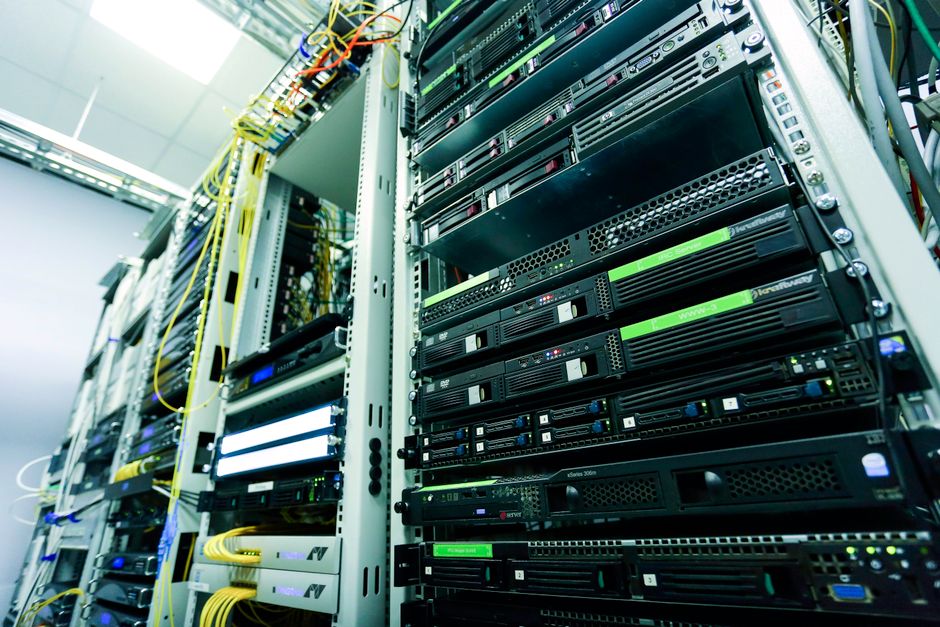
    Server infrastructure representing DeepSeek data storage and privacy considerations
    DeepSeek’s data infrastructure runs entirely on Chinese servers — a factor that shapes every freelancer’s cost-benefit calculation.

    The real math: what this costs versus what I pay now

    “The story isn’t whether V4 is the smartest model alive — it’s that near-frontier intelligence now costs one-sixth of what Claude Opus charges.”

    Here’s the pricing landscape as of this week:

    Model Input / 1M tokens Output / 1M tokens
    DeepSeek V4-Flash $0.14 $0.28
    DeepSeek V4-Pro $1.74 $3.48
    Claude Sonnet 4.6 $3.00 $15.00
    Claude Opus 4.6 $5.00 $25.00
    GPT-5.5 $5.00 $30.00

    VentureBeat‘s independent evaluation called V4-Pro “near state-of-the-art intelligence at 1/6th the cost of Opus 4.7.” A 3,000-word draft on V4-Flash costs roughly $0.002 — two-tenths of a cent. My monthly $15–25 API overflow spend could theoretically drop below $3 for routine tasks.

    Cost scenario — 100 drafts/month at 3,000 words each
    V4-Flash: ~$0.20 total · Claude Sonnet: ~$4.50 total · Claude Opus: ~$7.50 total
    That’s a 37x cost difference between V4-Flash and Opus on the same workload.

    But “could” is doing heavy lifting in that sentence. The savings only matter if the privacy trade-off is one I can accept.

    Your client data would live on Chinese servers

    DeepSeek stores all data on servers in the People’s Republic of China. Under China’s 2017 National Intelligence Law, the government can compel access with no legal mechanism for the company to resist and no obligation to notify users (per IAPP). Feroot Security found hidden code in DeepSeek’s web chat capable of transmitting user data to China Mobile’s registry.

    The regulatory response has been broad:

    Government bans and investigations (as of April 2026)
    Italy — chatbot banned within 72 hours of R1 launch
    EU — 13 jurisdictions opened formal investigations; EDPB created dedicated AI Enforcement Task Force
    US — banned on federal government devices + multiple state agencies
    Also banned: Australia, Taiwan, South Korea, Czech Republic, Netherlands (government devices)

    These restrictions predate V4, but the underlying data-sovereignty architecture is unchanged.

    For a solo operator handling client proposals and strategy docs, the line is clear:

    • Client deliverables, financials, proprietary strategy? Not through DeepSeek’s API. Full stop.
    • Personal research on public data — SEC filings, published reports? Lower stakes, but regulated-industry pitches still carry risk.
    • Generic code scripts that don’t touch client data? Probably fine, but “probably” is a word I don’t love when a client’s name is in the file.

    The workaround is self-hosting the open-source weights locally. V4-Flash at 284B parameters is within reach for quantized deployment on consumer hardware with 64GB+ RAM. V4-Pro at 1.6 trillion parameters needs datacenter infrastructure most freelancers don’t have.

    Where I’d use it — and where I wouldn’t touch it

    The honest answer is narrow. DeepSeek V4 fits a specific lane:

    • Bulk summarization of public data — earnings calls, research papers, regulatory filings. High volume, low sensitivity, and the cost difference compounds.
    • Personal code automation — file cleanup scripts, CSV transforms, the kind of work I currently use Cursor for but that doesn’t touch client projects.
    • Cheap second-opinion runs — run the same prompt through V4-Flash and Claude, compare outputs. At $0.14 per million tokens, double-checking is essentially free.
    • Draft generation for my own content — blog outlines, research notes. Not client work.

    Where it doesn’t fit: anything with client names, strategies, financials, or proprietary data. That’s most of what I do on a given Tuesday.


    For me, DeepSeek V4 is a “watch,” not a “switch.” The performance-per-dollar is the best I’ve seen from any model — open or closed — and the open-source weights under MIT license mean the gap between “interesting model” and “thing I actually use” could close faster than expected if self-hosting tools catch up. But today, routing client work through Chinese servers isn’t a trade-off I’m willing to make for a 6x cost reduction. If local deployment of the 284B Flash model becomes genuinely turnkey — not “turnkey for someone with a homelab” but turnkey for someone who bills by the hour and needs it to just work — that changes the math entirely.

    FAQ

    Can I use DeepSeek V4 for free?

    Yes. Free web chat at chat.deepseek.com and a generous API free tier. But the web chat routes every input through Chinese servers. For any real work, use the API with non-sensitive data or self-host the weights.

    How does V4 compare to Claude for long-form writing?

    It’s weaker. V4-Pro matches Claude on reasoning benchmarks, but early user reports suggest Claude still holds a clear edge on long-form coherence past the 3,000-word mark — the exact territory where client deliverables live. Claude Opus 4.6 also leads on long-context retrieval benchmarks like MRCR v2.

    Should I cancel Claude Pro or ChatGPT Plus?

    No. DeepSeek V4 is a supplementary tool for cost-sensitive, non-sensitive workloads. Claude and ChatGPT still lead on writing quality, integration ecosystems, and data privacy guarantees. The $20/month you pay for Claude Pro buys trust that $0.14 per million tokens doesn’t.

    Yes — for personal and business use. It’s banned on federal government devices and in several state agencies. For freelancers: legal, but don’t route client data through it unless you’re self-hosting the open-source weights on your own infrastructure.

    Can I run V4 locally?

    Yes, with caveats. V4-Flash (284B) can run on consumer hardware with 64GB+ RAM using quantized versions. V4-Pro (1.6T) requires serious GPU clusters. Hugging Face hosts the weights. “Can run” and “runs well enough for production freelance work” are different questions — I’d want to see community benchmarks on local inference quality before committing.


    Pricing comparison

    Model Monthly cost (est. freelancer usage) Best for
    DeepSeek V4-Flash (API) ~$1–3/mo Bulk summarization, code scripts, research on public data
    DeepSeek V4-Pro (API) ~$5–15/mo Near-frontier reasoning tasks, non-sensitive work
    Claude Pro (subscription) $20/mo Client deliverables, long-form writing, sensitive data
    ChatGPT Plus (subscription) $20/mo Brainstorming, short-form, meeting summaries

    My take: V4-Flash is the most interesting play here — cheap enough to use as a second-opinion layer alongside your primary Claude or ChatGPT subscription, without replacing either.

    My recommendation: Try Claude Pro for client work first →

    Sources

    AI-assisted research and drafting. Reviewed and published by ToolMint.

    AI-assisted research and drafting. Reviewed and published by ToolMint. Last updated: 2026-04-25.

toolmint
Privacy Overview

This website uses cookies so that we can provide you with the best user experience possible. Cookie information is stored in your browser and performs functions such as recognising you when you return to our website and helping our team to understand which sections of the website you find most interesting and useful.