
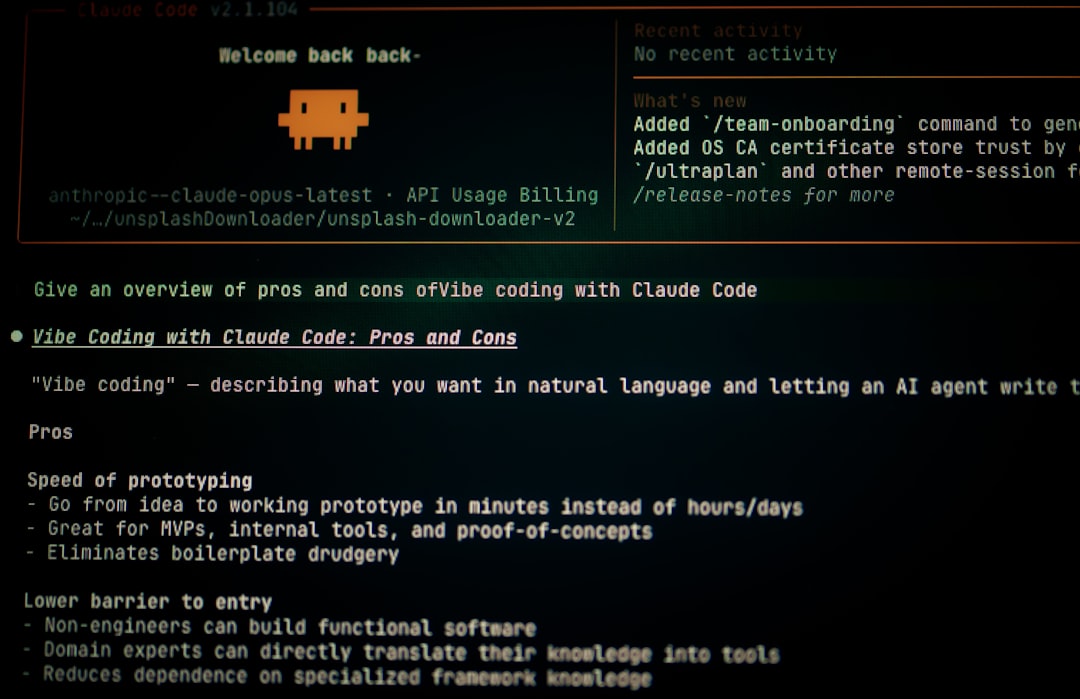
For about six months I treated Claude Code as a fancier chat window that happened to sit in my terminal. Then I started handing it the boring parts of my week — the file shuffling, the repetitive document assembly, the small scripts I never bothered to write — and it quietly became the most-used tool in my stack. This is not a “look what AI can do” piece. It is a Tested review of where Claude Code automation actually earns its keep for a one-person consulting shop, where it falls short, and the five wins that survived contact with real client work. I pay for it on a Max plan, run it daily, and have the scar tissue to show which parts are hype.
In this article
- The five Claude Code automation wins that stuck
- Real time saved on file chores, multi-file edits, and parallel work
- How hooks catch mistakes before they ship
- Where it still costs me time
- Pricing, FAQ, and the honest verdict
Claude Code automation turned a 40-minute file chore into one command
The first win was the least glamorous and the one I now rely on most. Every month I used to spend roughly 40 minutes renaming, sorting, and re-foldering a batch of client deliverables by hand — tedious, error-prone, exactly the kind of thing I would put off. I described the rule once in plain English, Claude Code wrote and ran the script, and now the same job is a single command I rerun without thinking.
What makes this different from a generic chatbot is that Claude Code automation operates on real files in a real directory, not on pasted text. It reads the folder, proposes the change, and executes after I approve. Two practical notes from doing this for months:
- Describe the rule, not the steps. “Group these by client and date” beats a numbered procedure.
- Keep a dry run first. I always have it print what it would do before it touches anything.
That single habit converts a recurring chore into a thirty-second task, and it is the cleanest argument for Claude Code automation I can give a skeptic.
Multi-file edits stopped being a copy-paste marathon
The second win is consistency across many files at once. When I need the same change applied to a dozen documents or config files — a renamed field, an updated boilerplate clause, a standardized header — doing it by hand is where I make mistakes. Claude Code reads all of them, makes the edit in each, and shows me a diff per file before anything saves.
The diff is the part I underrated. I am not trusting a black box; I am reviewing a changelist, the same way I would review a junior’s work. For a non-developer running a solo shop, that review-not-rewrite posture is what makes the automation safe enough to actually use. I compared this directly against my other editor in my Claude Code and Cursor head-to-head, and the multi-file diff workflow is where the daily-driver call tipped.
Subagents let me run research and drafting in parallel
The third win changed how I structure a work block. A subagent in Claude Code is a separate session with its own context window, launched to handle one job in isolation. In practice that means I can send one agent to gather and summarize source material while the main session keeps drafting, instead of doing the two steps in sequence.
For a solo operator this is the closest thing I have to delegation. The parallelism is real, but the bigger benefit is context isolation: the research agent does not clutter my drafting context with forty pages of raw notes. A few honest caveats:
- Subagents burn through usage faster, so I reserve them for jobs where parallelism actually pays.
- They are worth it for research-heavy tasks, overkill for a quick edit.
A concrete example: when I prep a client workshop, one agent pulls and condenses background reading into a single brief while the main session builds the agenda from my notes. Before, those were two sequential hours; now the brief is waiting by the time I finish the outline. The isolation keeps each output clean, and I stitch the two together at the end rather than juggling both in one cluttered thread.
Used with judgment, this is the Claude Code automation feature that most changes the shape of a working hour rather than just shaving minutes off a chore.
Hooks quietly catch the mistakes I used to ship
The fourth win is a safety net, not a speed-up, and it is the one I would least give back. Hooks let me run a check before Claude Code executes certain actions — a PreToolUse hook, in the docs’ terms — and veto anything that matches a dangerous pattern. I use one to scan for secrets before any file gets written and another to block risky shell patterns outright.
The wins people talk about are the time savers. The win that actually kept me on Claude Code is the one that stops me from shipping a mistake at 11pm.
This matters more for a one-person shop than for a team, because there is no second reviewer. The hook is the reviewer. Setting one up took an afternoon and has paid for itself every time it has stopped a half-asleep command. If you only adopt one piece of Claude Code automation beyond the basics, make it a guardrail hook — the official Claude Code documentation walks through the setup.
One reusable command replaced my messiest weekly routine
The fifth win is reusable slash commands. A slash command in Claude Code is a saved prompt template I invoke by name, so a multi-step routine I used to retype every Friday — pull these inputs, format them this way, flag anything missing — collapses into one keystroke. I built three of them over a month, and they removed the friction that used to make me procrastinate on admin work.
The compounding effect is the real story. Each command is a small automation, but together they turned my Friday wrap-up from a dreaded hour into a guided pass. This is also where Claude Code overlaps with tools like Notion AI in my stack; I keep the line between them deliberate, much as I described in my Claude Projects review.
Where Claude Code automation still costs me time
Now the honest half: Claude Code automation is not free of friction, and pretending otherwise would make this a brochure. Three real costs from daily use:
- Usage limits bite. On the Pro plan ($20/month) you share one pool across Claude and Claude Code, and heavy automation days hit the ceiling fast. I moved to a Max tier ($100/month for 5x, $200/month for 20x) specifically because parallel subagents drained the lower pool.
- It will confidently do the wrong thing. If my instruction is vague, it writes a clean script that solves the wrong problem. The dry-run habit exists because I learned this the expensive way.
- Setup is a real investment. Hooks, commands, and a sane configuration take a weekend before the payoff starts. The first week felt slower, not faster.
None of these are dealbreakers, but they are why I tell other solo operators to start with one boring chore, not a grand automation plan. The value compounds, but only after you have paid the setup tax. My rule of thumb: pick the single most tedious thing you did last week, hand it over first, and only expand once that one job runs reliably. A small win you trust beats an ambitious pipeline you have to babysit.
FAQ
Is Claude Code only for developers?
No. I am not a developer, and the highest-value Claude Code automation in my week is plain file and document work, not software. The skill that matters is describing a rule clearly in English, not writing code — Claude Code writes the code and shows you the result to approve.
Do I need the Max plan to make Claude Code automation worth it?
It depends on your volume. The $20 Pro plan is enough to test real workflows, but its shared usage pool fills quickly once you run subagents or long automation sessions. I moved to Max ($100/month) only after the lower tier became my bottleneck, not before.
Is it safe to let Claude Code change my files automatically?
Yes, with guardrails. I always use a dry run first and review the per-file diff before anything saves, and a PreToolUse hook vetoes dangerous patterns and secret leaks. The review-not-rewrite posture is what makes the automation safe for a solo shop with no second reviewer.
How is this different from a chatbot like ChatGPT?
Claude Code operates directly on your real files and can run commands, where a chatbot works on pasted text you copy back and forth. That direct file access is the entire point of Claude Code automation — it removes the manual copy-paste step that used to eat the time savings.
How long before Claude Code automation actually saves time?
Not immediately. My first week was slower because hooks, commands, and configuration take real setup before they pay off. The compounding started in week two, once the boring chores I automated first began running on a single command.
Sources
AI-assisted research and drafting. Reviewed and published by ToolMint.